Accessing the SD Card from Virtualbox in MacOs Sierra
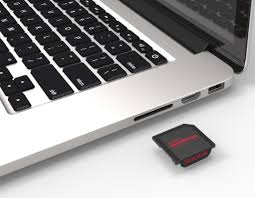
Tested on MacOs Sierra 10.12.6 and Virtualbox 5.2.18 (Oct 2018)
Firstly, ignore advice about having to disable System Protection Integrity, it’s erroneous.
csrutil status
System Integrity Protection status: enabled.
Ok, here are the steps:
Insert an sdcard into the slot - MAKE VERY SURE YOU HAVEN’T FLICKED THE WRITE PROTECT SWITCH ON THE CARD - it’s very easy to accidentally move it on insertion if it’s loose. Carefully use a pin to push it back to READ/WRITE mode. (i.e. towards the contacts)
Open up Disk Utility & unmount all the partitions of the sdcard. DO NOT USE THE EJECT DISK OPTION. The partitions should be greyed out. Note the disk’n’ value where it says device, in this example we’ll pretend it’s disk2:
Use the following command from a terminal session: (Replace jon with your login name)
sudo VBoxManage internalcommands createrawvmdk -filename /Users/jon/sdcard.vmdk -rawdisk /dev/disk2
A common error is trying to map the partition e.g. /dev/disk2s1 instead of the whole disk /dev/disk2 .
- At the moment the file is only accessible by root:operator. Change it’s access with:
sudo chmod 666 /Users/jon/sdcard.vmdk; sudo chmod 666 /dev/disk2
Here’s a link to another blog post on the subject. The author has written a script to automate much of the process: The author has written a script to automate much of the process:
I copied the script to my ~/VirtualBox VMs/ directory & remember to chmod +x it (after you’ve checked it through of course!)
./create-sd-card-vmdk.sh </dev/diskX> <vmdk-file> <virtual-machine>