RF Socket Control with the Beaglebone Black
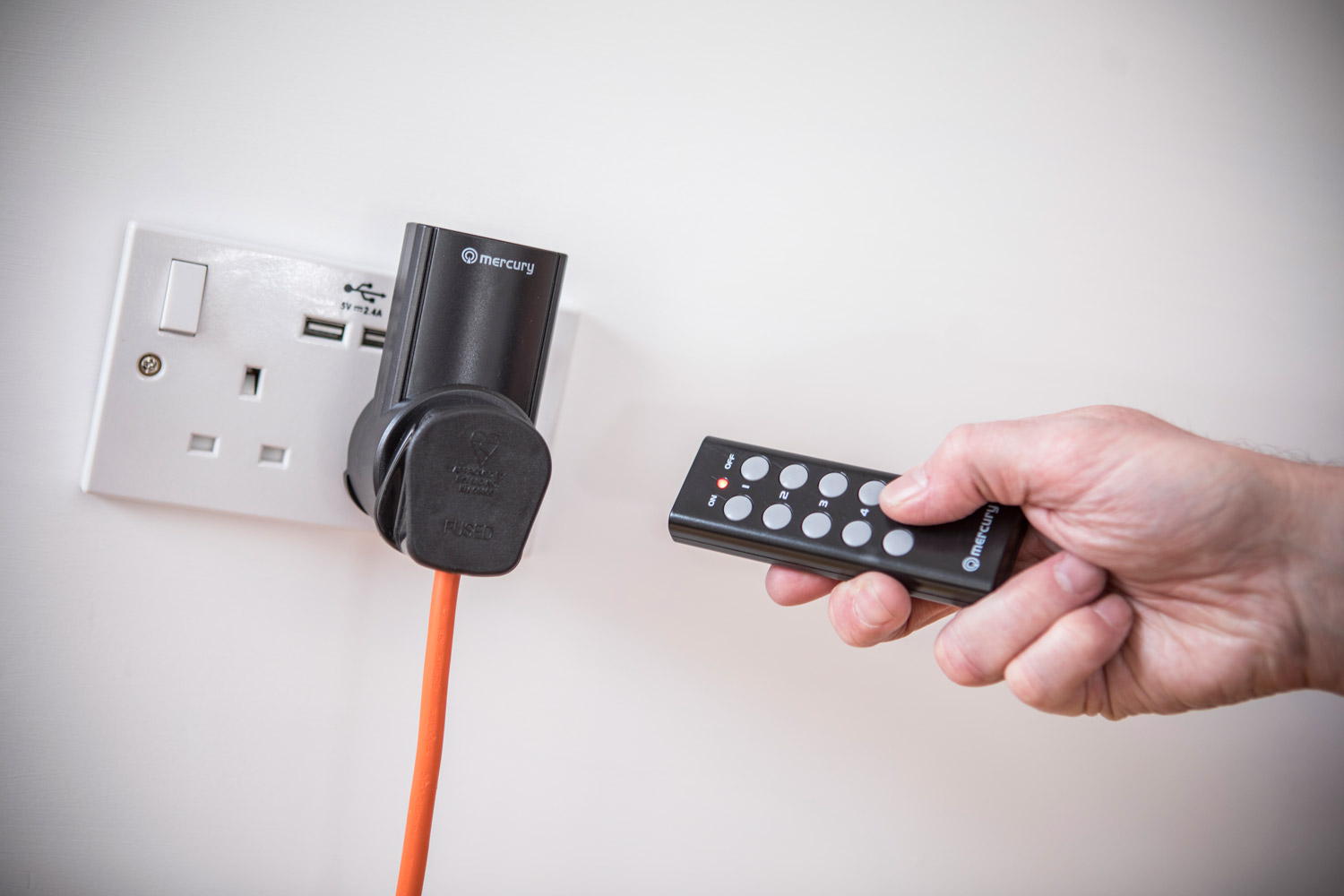
This article describes how to use the Beaglebone black to communicate with cheap remote control sockets using RF433. There’s plenty of other posts out there describing how to communicate using the Arduino or ESP8266 platform, using their respective rc-switch & rf-switch libraries. However I wanted to take advantage of the Beaglebone’s built in PRU’s. They’re perfect for doing time timing critical tasks such as this.
The Mercury RC-5 Sockets I used are readily available in the UK. You can pick up 5 individual sockets or a 5 gang extension socket for around £25. They can switch 10A and the transmitter fob has a range of around 30m.
The Mercury transmitter remote is based on the HS2260A-R4 ic. This uses the PT2260 On-Off Keying (OOK) protocol.
So, as well as your Beaglebone, you will need to source a 433MHz transmitter, there’s plenty on eBay.

FS1000A 433MHZ transmitter
Connections:
- Vcc to P9.07 (+5v SYS)
- Gnd to P9.1 (DGND)
- Data to P8.11.
Configuring linux to use the PRU
Looking at the transmitter PCB I can see that A0 - A4 are hard wired to form an address, Here’s the group address for my transmitter - your’s will probably be different:
| Pin | Connection | Tri-State | Binary |
|---|---|---|---|
| A0 | ground | 0 | 0 0 |
| A1 | floating | f | 0 1 |
| A2 | ground | 0 | 0 0 |
| A3 | ground | 0 | 0 1 |
| A4 | floating | f | 0 1 |
Sending the codes

TriState codes output from Mercury Transmitter Fob
The code table above shows the binary code used to control my switches. The code consists of 12 tri-state bits and a sync bit. The first 5 tri-state bits are common to all sockets in the pack and form the group address. The next 5 tri-state bits are the individual socket address. Finally the last 2 tri-state bits are the socket state - ON or OFF.
Each tri-state bit is represented by 2 binary bits. So 24 binary bits form each code.
I used an oscilloscope to decode the signals but you could also use an Arduino with a cheap receiver module and the rc-switch library.
rfsend uses the Linux Userspace I/O (UIO) method of communicating with the PRU’s. Ensure you have this configured properly on your linux distribution. I’m using Debian 9.1 with a 4.4.88-ti kernel. See my post on configuring your system.
You need to tell the board to connect P8.11 to PRU0 in order for it to drive the transmitter board. Here’s a quick way configure it at boot time.
Save the following bash script to /usr/local/bin/config_pru.sh
#config_pru.sh - a quick script to initialise the pru for the rfsend program
#!/bin/sh
echo pruout > /sys/devices/platform/ocp/ocp:P8_11_pinmux/state
/usr/local/bin/rfsend 0
Save the following text file as /etc/systemd/system/config_pru.service
[Unit]
Description=Connect P8.11 to pru for rfsend command
After=capemgr.service

[Service]
Type=oneshot
ExecStart=/usr/local/bin/config_pru.sh

[Install]
WantedBy=multi-user.target
Now sudo systemctl enable config_pru.service
and sudo systemctl start config_pru.service
Example use
The Mercury switches use a short pulse duration of 180us. So, based on codes from the above table
sudo rfsend -t180 -b 000100000101010100111100 will turn off socket 1
sudo rfsend -t180 107387 will turn on socket 1
Antenna length Actually, many 433MHz circuit boards have a coil with a few windings between the circuitry and the solder pad marked ANT. The XD-RF-5V commonly available on the market has a three winding coil with a 5mm diameter. 5mm x 3 x PI accounts for almost 5cm, so the external part of the antenna should be around 12cm to come to a total length of quarter lambda. I always find antenna’s to be black magic, but for me 12cm seemed to work! Around the internet the most common antenna’s length seems to be 17.3 cm. You can even do some more spires if you want or … if you don’t want to make the antenna by yourself, just buy it somewhere.